
TubeMate — save web video on your own drive
A desktop program for Windows that copies public page links into local MP4, WebM, or audio files. Pick quality, run several jobs, and check the installer before you open it.
Program summary
TubeMate reads a page address, lists available streams, and writes the file you select into a folder you control. No browser extension is required.
- Hosts: YouTube, Facebook, TikTok, Instagram, X/Twitter (varies by build)
- Outputs: MP4, WebM, MKV, AVI; audio as MP3, AAC, M4A, OGG, WAV
- Top resolution: up to 8K when the source supplies it
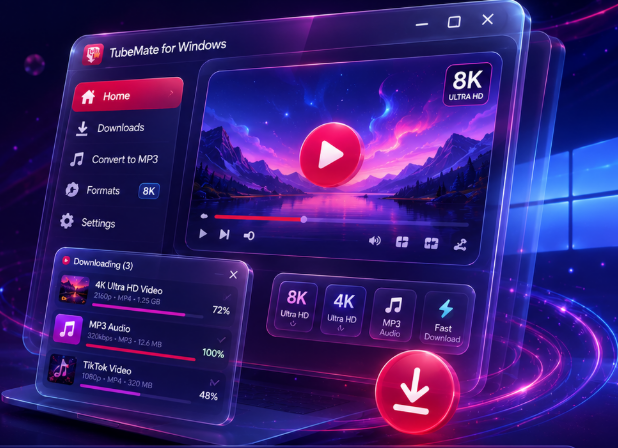
Setup download
Jobs the program handles
Grab a single clipPaste one URL and store one file.
Batch several linksQueue many addresses and walk away.
Sound onlyKeep MP3 or AAC without the picture track.
Change containerRemux or convert after the grab finishes.
Preview firstUse the built-in viewer before archiving.
Resume laterPause a large file and continue when online.
Release & file data
| Current build | 6.3.16 |
|---|---|
| Installer type | EXE (ZIP archive also listed on download page) |
| License model | 15-day trial, then paid unlock |
| Disk space | Plan for 2× file size while muxing large 4K/8K items |
Why people install it
Stable offline copyClassrooms and travel spots with weak Wi‑Fi.
Editor handoffMove a master file into Premiere or DaVinci.
Format pickMatch phone, TV, or archive rules.
Segmented engineMultiple connections per file on fast links.
Short usage outline
| 1 | Install from the download page and compare the published hash. |
| 2 | Open TubeMate and load the page (built-in browser or pasted URL). |
| 3 | Press the save control, choose resolution and format, confirm folder. |
| 4 | Watch the queue; play the result in the internal viewer if needed. |
Ready to install?